
INSIGHTS
Video Walkthroughs for Treatment Centers: How Much Footage Do You Really Need?
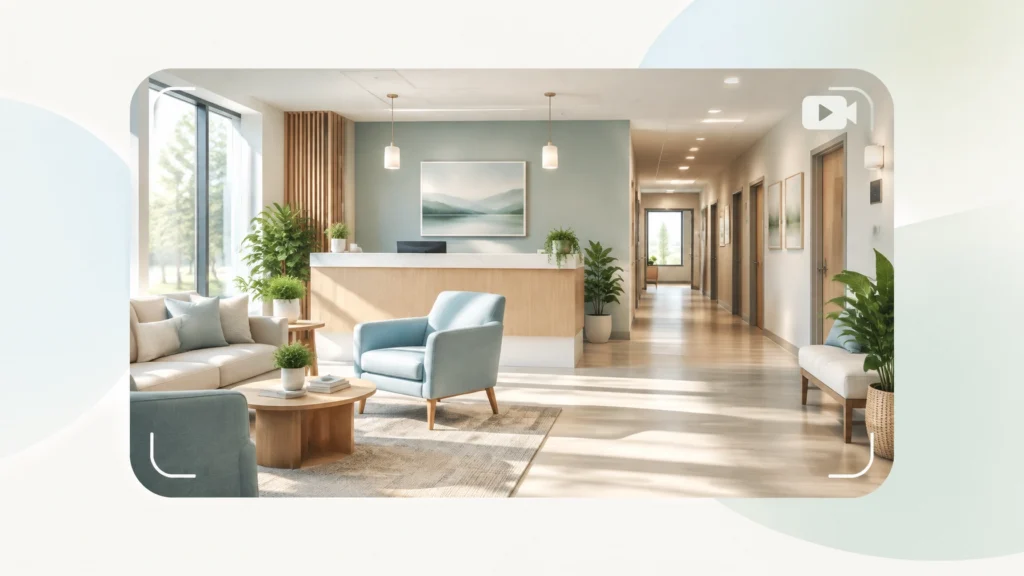
A family may be ready to call, and still hesitate because they can’t picture where their loved one will sleep, eat, or meet with a counselor. A thoughtful video walkthrough can answer some of those questions before anyone picks up the phone.
But how much footage do you actually need? Usually less than you think. The goal isn’t to film every hallway or produce a mini-documentary. It’s to help someone understand the setting, know what to expect, and decide whether to take the next step.
Table of contents
- How long should a treatment center video tour be?
- What should you show?
- A practical footage plan
- Protect privacy before you press record
- Make the video accessible and useful
- How to measure whether it’s working
How long should a treatment center video tour be?
For most facilities, start with one main tour of about two to three minutes. That’s enough time to show the arrival experience, several important spaces, and the basics of a typical day, without asking a viewer to watch a long, wandering video.
Then, if you have the resources, create a few short supporting clips. Think 30 to 60 seconds each, focused on a single question: What does a bedroom look like? Where do people meet with their treatment team? What should a family expect when they arrive?
These are practical starting points, not magic lengths. Your audience and facility are unique. A residential program with several levels of care may need more explanation than a small outpatient clinic. Use the main video to orient people; let the shorter clips fill in details for viewers who want them.
A rehab facility video tour should reduce uncertainty, not overwhelm someone with footage. If a scene doesn’t help a prospective patient or family member understand the experience, you probably don’t need it.
What should you show in a treatment center video tour?
Imagine a person watching from their phone late at night. They may be anxious, short on time, or trying to understand what happens after they call. Show the parts of the experience they’re likely trying to picture.
Consider including:
- Arrival and check-in: Where should someone go, and what happens when they get there?
- Welcoming shared spaces: A reception area, lounge, dining room, or outdoor area can help viewers understand the feel of the facility.
- Treatment spaces: Show a counseling or group room when it’s empty and appropriate to film.
- Living areas: If residential care is offered, show a representative bedroom and explain any relevant details, such as room-sharing, without making promises that don’t apply to every admission.
- Accessibility and wayfinding: Where possible, show entrances, pathways, elevators, or other features that help people understand how to move around.
- A next step: Tell viewers how to ask questions, request accommodations, or speak with admissions.
Keep the narration calm and specific. “This is where check-in begins; our admissions team will explain the next steps” is more useful than sweeping claims about how someone will feel.
SAMHSA describes recovery as a process in which people improve their health and wellness and work toward their full potential. That’s a helpful reminder to present your program with respect and care, not as a dramatic before-and-after story. You can read SAMHSA’s overview of recovery and recovery support.
A practical footage plan
You don’t need a shot of every room. Plan the route around the questions your admissions team hears most often. If families regularly ask where to park, where a first meeting takes place, or what the shared spaces are like, make those moments easy to see.

| Footage scope | What the viewer gets | What you can monitor |
|---|---|---|
| 2–3-minute main tour | A clear overview of arrival, key spaces, and the next step | Video completion and clicks to admissions information |
| 30–60-second room or space clips | A closer look at specific areas people ask about | Which clips get watched and which questions follow |
| Brief admissions explainer | A simple overview of how to start a conversation | Calls, contact-page visits, and common follow-up questions |
These are not guaranteed conversion results; they’re useful signals. A video that answers practical questions may help someone arrive better prepared. Your own inquiry and admissions data can tell you whether that’s happening.
Want your walkthrough to support a clearer path from search to inquiry? Talk with Ads Up Marketing or call 305-539-7114.
Keep the production simple
A professional result doesn’t require a cinematic production crew. Use steady camera movement, natural lighting, readable labels, and a short script reviewed by your operations team. Film spaces as they’re genuinely used; don’t make the facility look more private, spacious, or luxurious than it is.
A simple chapter structure can help viewers jump to what matters:
- Arrival and check-in
- Shared and treatment spaces
- Residential areas, if applicable
- Accessibility and practical details
- How to ask questions
Protect privacy before you press record
This is the part to get right before production begins. Treatment settings can contain sensitive information in obvious places, like patient charts, and less obvious ones, such as a name spoken in the background or a schedule visible on a screen.
The safest starting point is to film empty spaces at a controlled time. Check the frame and audio for charts, whiteboards, computer screens, mail, name badges, personal belongings, and conversations. Get appropriate releases from staff or other people who appear, and have your privacy or compliance lead review the plan before filming.
HHS explains that covered providers generally can’t allow film crews into treatment areas, or areas where protected health information may be accessible, without prior written authorization from affected patients. Blurring a face after filming isn’t a substitute for that authorization. Review the HHS guidance on film crews and patient privacy before planning a shoot.
For programs subject to federal substance-use-disorder confidentiality rules, 42 CFR Part 2 adds important protections for patient-identifying information and records. Your compliance or legal advisor can help determine which requirements apply to your facility and production.

Make the video accessible and useful
A walkthrough only helps if people can use it. Add accurate captions and provide a transcript. Keep on-screen text large enough to read on a phone, avoid fast camera movement, and don’t autoplay audio. If visual details carry important information, consider whether an audio-described version or descriptive text is needed.
The W3C guidance on prerecorded captions explains that captions should cover speech as well as meaningful sounds. Accessibility isn’t just a technical checkbox; it helps more families understand the information on their own terms.
You can also add short written details beside the player: what services are shown, when the video was last reviewed, and who to contact with questions. If facility policies or spaces change, update the footage. A tour that no longer matches reality can create confusion at the very moment you’re trying to reduce it.
How to measure whether it’s working
Don’t judge the video by views alone. Look for signs that it’s helping the right people take a useful next step:
- Are visitors watching beyond the opening?
- Which chapters or clips are they choosing?
- Are viewers going to your admissions or contact page afterward?
- Are families asking fewer basic logistics questions, or better-informed ones?
- Do admissions staff hear that the video helped someone know what to expect?
Keep measurement privacy-conscious. Review your analytics setup with the appropriate team, especially before adding tracking tools to pages that may involve sensitive health-related activity.
The video should also fit the rest of your website experience. Ads Up Marketing can help you build the right landing experience with treatment center website design, make video content easier to find through SEO for addiction treatment centers, and connect paid search campaigns to relevant pages through PPC management. If you’re already thinking about the broader path from inquiry to arrival, our article on closing the gap between “yes” and the front door may be useful too.
The right amount of footage is the amount that answers real questions
Start with a short, honest overview. Add focused clips only where they serve a real need. Film with privacy and accessibility in mind, and keep the experience consistent with what someone will actually encounter at your facility.
You don’t need to show everything. You need to show enough for someone to understand what comes next, and how to ask for help.
If you’d like support making your treatment center video tour part of a stronger website and admissions journey, contact Ads Up Marketing or call 305-539-7114.