
INSIGHTS
Video and Virtual Tours: The Fastest Way to Build Facility Trust
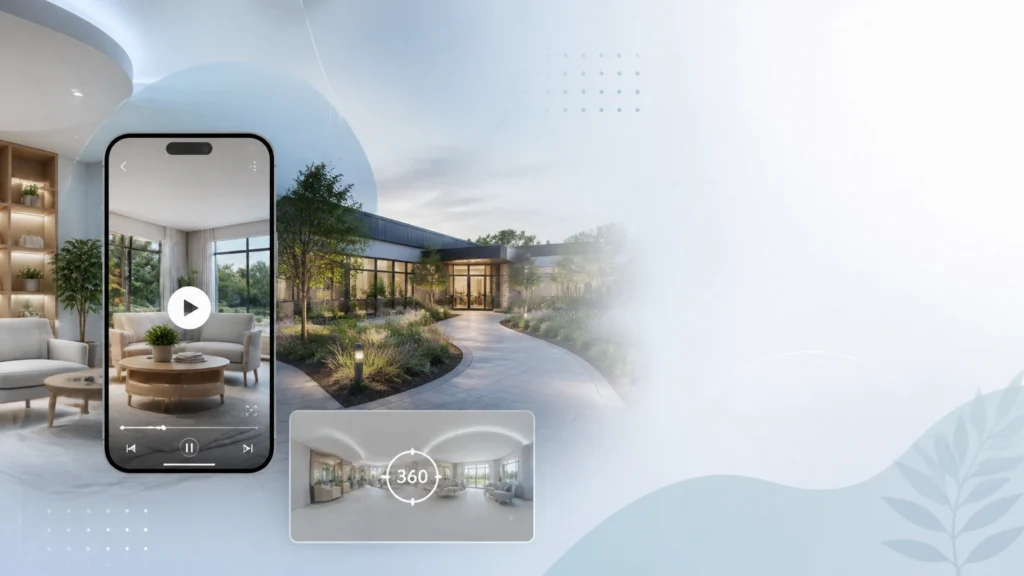
A family member searching for treatment at 1:00 a.m. is not casually browsing your website. They are trying to answer a difficult question quickly:
Can I trust this facility with someone I love?
Your program may offer excellent clinical care, experienced staff, and a peaceful environment. But if your website only shows a few generic photos and a wall of text, prospective patients and families have to imagine what treatment feels like.
That uncertainty creates friction.
Video content and virtual tours give people a more honest sense of your environment before they call. They can see the entrance, understand the atmosphere, meet members of your team, and picture what the first day may look like. In a sensitive industry where trust often determines whether someone contacts you, that visual connection can make a meaningful difference.
Table of Contents
- Why video builds trust faster than written copy
- What to include in a treatment center virtual tour
- Production basics for a professional facility video
- Privacy and compliance considerations
- How to connect visual content to admissions
- Performance Impact
- Frequently asked questions
Why Video Builds Trust Faster Than Written Copy
Written content explains what your facility does. Video helps people experience the setting before they arrive.
That distinction matters. A treatment center can say it offers a safe, comfortable, supportive environment. Almost every facility makes similar claims. A well-produced video can show:
- What the entrance and reception area look like
- Whether bedrooms appear private, shared, or clinically focused
- How therapy and group spaces are arranged
- What outdoor areas or recreation spaces are available
- How staff welcome visitors
- Whether the environment feels structured, warm, modern, or residential
So what’s the connection between those details and admissions?
When a family can visualize the setting, the unknown becomes more manageable. A parent may feel less anxious about sending a son or daughter to treatment. A prospective patient may feel more comfortable calling because they already know what the facility looks like.
This is not about making your center appear luxurious. It is about removing avoidable uncertainty.
Your rehab website UX design should make the next step clear, and video gives visitors another reason to take it.

What to Include in a Treatment Center Virtual Tour
A virtual tour does not need to be a complicated 360-degree production to be useful. You can begin with a guided walkthrough that answers the questions families commonly ask during an admissions call.
1. Start with the arrival experience
Show the entrance, parking area, reception space, and the first point of contact. If your location is difficult to find, explain where visitors should park or check in.
The first few minutes of arrival can feel intimidating. Showing the process in advance makes it more familiar.
2. Explain the treatment environment
Walk viewers through appropriate areas such as:
- Bedrooms and bathrooms
- Therapy rooms
- Medical or nursing areas
- Dining and common spaces
- Outdoor areas
- Fitness or recreational spaces
- Private family meeting rooms
Use a staff member or admissions representative as a guide. They can explain what happens in each area without turning the video into a sales pitch.
3. Introduce the people behind the program
A short welcome from your executive director, clinical director, or admissions team can make your facility feel more human.
You do not need a large cast. One or two calm, well-prepared speakers are often more effective than a series of scripted introductions. Focus on what families want to know:
- How do you support patients during the first 24 hours?
- How do families communicate with the care team?
- What levels of care do you offer?
- How do you approach co-occurring mental health conditions?
- What can someone expect during the admissions process?
4. Set realistic expectations
Avoid making the tour look like a vacation property. Recovery requires structure, accountability, and difficult work. Your video should present the facility positively while still reflecting the seriousness of treatment.
Trust grows when your marketing matches the real experience.
Production Basics for a Professional Facility Video
You do not need a Hollywood crew. You do need a thoughtful plan.
Use a simple shot list
Before filming, identify the essential scenes and the order in which viewers should see them. A basic shot list might include:
- Exterior and entrance
- Reception and check-in
- Common areas
- Therapy spaces
- Bedrooms and bathrooms
- Clinical areas
- Outdoor spaces
- Staff welcome
- Clear next step
This prevents the video from becoming a collection of disconnected rooms.
Prioritize sound over fancy equipment
Poor audio can make even beautiful footage feel unprofessional. Use an external microphone when possible, record away from HVAC noise, and avoid filming near active group sessions.
Speak naturally. If someone sounds overly rehearsed, let them try again using their own words.
Keep the edit focused
A full facility tour may be useful on your website, but shorter clips are easier to use across social media, paid campaigns, and landing pages.
Consider creating:
- A two- to three-minute website tour
- Thirty- to sixty-second social clips
- Short staff introduction videos
- Program-specific walkthroughs
- A “what to expect at admissions” video
This gives you more value from a single production day.
Make every video accessible
Include captions, clear on-screen descriptions, and a written transcript when appropriate. Captions help people watching without sound and improve access for viewers who are deaf or hard of hearing.
Use descriptive titles and thumbnail images that accurately reflect the content. Avoid dramatic imagery that could frighten or stigmatize people seeking care.
Privacy and Compliance Considerations
Visual content creates trust only when you protect the people in your care.
The U.S. Department of Health and Human Services guidance on media access to protected health information explains that covered providers generally cannot give media or film crews access to areas where patient PHI will be accessible without prior written authorization from each affected patient.
Blurring someone after filming is not necessarily enough. HHS specifically states that masking a patient’s identity after the fact does not replace prior authorization.
Before filming, remove or review:
- Patient names and room numbers
- Whiteboards and schedules
- Medical charts and medication lists
- Computer screens
- Wristbands and paperwork
- Personal belongings
- Conversations that can be heard in the background
- Other patients, visitors, or family members
The safest approach is often to film during a controlled period when no patients are present in the selected areas.
Remember 42 CFR Part 2
For substance use disorder programs, 42 CFR Part 2 provides additional confidentiality protections for records that identify someone as having received SUD treatment.
That means a patient testimonial can be especially sensitive. A person saying, “I received treatment at this facility,” may reveal protected information even if they do not discuss a diagnosis or treatment plan.
If you use a former patient testimonial, your written authorization should clearly explain:
- What will be recorded and disclosed
- Where the video may appear
- The purpose of the disclosure
- How long the authorization lasts
- How the person can revoke permission
- The risks of public distribution
- That participation is voluntary and not required for treatment
Review the consent process with your privacy officer and legal counsel. The requirements can vary depending on your program structure, state law, and the type of information included.

How to Connect Visual Content to Admissions
A video does not create results by itself. It needs to be placed within a conversion path that makes contacting your team easy.
Add virtual tour content to pages where visitors are already evaluating your program, such as:
- Residential treatment pages
- Detox program pages
- Admissions and what-to-expect pages
- Insurance verification pages
- Location pages
- About-the-team pages
- Contact and consultation pages
Place a clear call to action near the video. Examples include:
- “Speak with an admissions counselor”
- “Ask a question about our program”
- “Verify your insurance”
- “Learn what happens next”
- “Schedule a confidential conversation”
But this still doesn’t drill down into performance. You need to know whether the video is helping qualified visitors move forward.
Ads Up can help connect your video strategy to conversion tracking, local SEO for rehab centers, and Google Ads campaigns for addiction treatment. If you want to understand where visual content fits into your admissions funnel, call 305-539-7114 for a confidential conversation.
Performance Impact
Use your own baseline data rather than relying on generic industry promises. Compare a page with a virtual tour against a similar page without one, or review performance before and after publication.
| Performance Area | Without Video or Tour | With Privacy-Reviewed Visual Content |
|---|---|---|
| Facility understanding | Dependent on written copy and photos | Visitors can see the environment and hear explanations |
| Visitor confidence | More uncertainty about the experience | Greater familiarity before the first call |
| Time on key pages | May leave after scanning text | More opportunities for meaningful engagement |
| Admissions questions | Repetitive questions about rooms and arrival | Video can answer common questions in advance |
| Conversion measurement | Calls and form submissions | Video plays, completion rates, calls, forms, and qualified inquiries |
| Compliance risk | Lower if no patient information is used | Managed through filming controls, consent, and review |
Track more than video views. Pay attention to:
- Video play rate
- Completion rate
- Calls from the page
- Form submissions
- Qualified inquiries
- Admissions connected to the campaign
- Cost per qualified opportunity
- Common questions asked after viewing
A high view count is nice. A clearer admissions conversation is better.

Frequently Asked Questions
Do treatment centers need a 360-degree virtual tour?
No. A guided video walkthrough can be an effective starting point. You can add interactive 360-degree functionality later if it supports your audience and budget.
Can you film current patients in the background?
You should not treat background filming casually. Patient presence, voices, records, and other visual details may expose PHI. Film in controlled areas with no patients present unless your compliance team has confirmed the required authorizations and safeguards.
Are facility photos enough to build trust?
Photos help, but video can answer more questions at once. Movement, narration, staff introductions, and the sequence of arrival can make the experience easier to understand.
Should you use patient testimonials?
Former patient testimonials can be powerful, but they require careful consent, ethical judgment, and compliance review. The FTC’s guidance on endorsements, influencers, and reviews also makes clear that advertising testimonials must reflect honest experiences and cannot create misleading expectations.
Where should you place a virtual tour?
Start with your homepage, admissions page, program pages, and location pages. Use analytics to determine which placement produces the strongest engagement and qualified inquiries.
Let Your Facility Be Seen Clearly
People searching for treatment do not need another exaggerated promise. They need reassurance, clarity, and a realistic sense of what comes next.
A professional video or virtual tour can provide that. Show the environment honestly. Introduce your team. Protect patient privacy. Keep claims responsible. Then connect the experience to a measurable admissions path.
At Ads Up Marketing, we work exclusively with addiction treatment centers and behavioral health facilities. We can help you turn visual content into a broader strategy that includes web design, SEO, PPC, analytics, and conversion improvement.
Contact Ads Up Marketing to discuss your facility’s next video or virtual tour project, or call 305-539-7114. We will help you identify what to create, where to place it, and how to measure whether it is helping the right people take the next step.